PackField
A local packing manifest for trips, packed items, category coverage, and backup controls.

Trip readiness
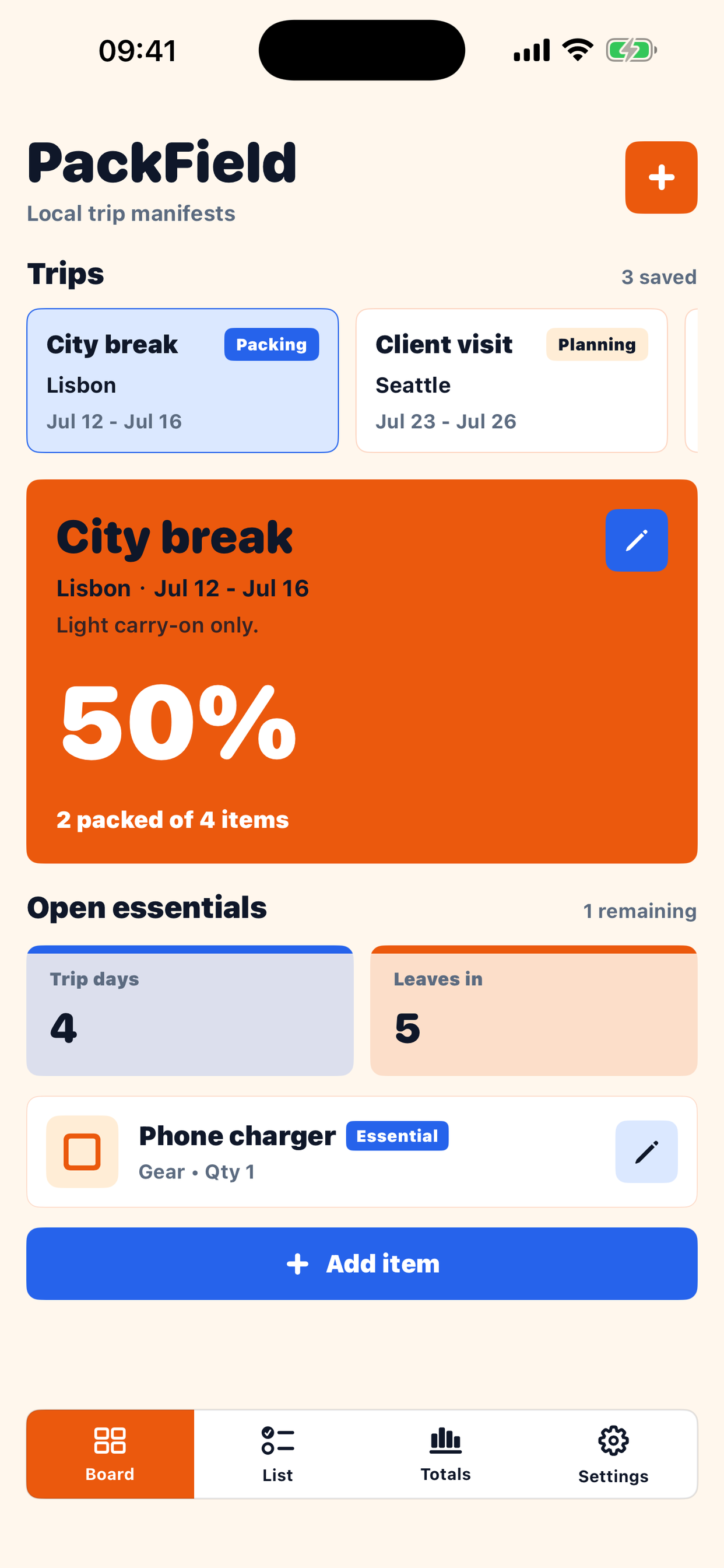
Board · List · Totals · SettingsChoose a trip, mark packed items, review essentials, and keep records on device.
Local-first
No accountManual packing lists with local JSON storage and user-triggered backup text.
App Details
Version
1.0.0
Platform
iPhone
Category
Travel
Core Tasks
Create trip manifests.
Add categorized packing items.
Track packed progress and open essentials.
Storage
Trips, items, quantities, notes, packed state, and settings are stored locally unless you copy backup text yourself.
Board
Trip strip, readiness percentage, travel dates, and open essentials.
List
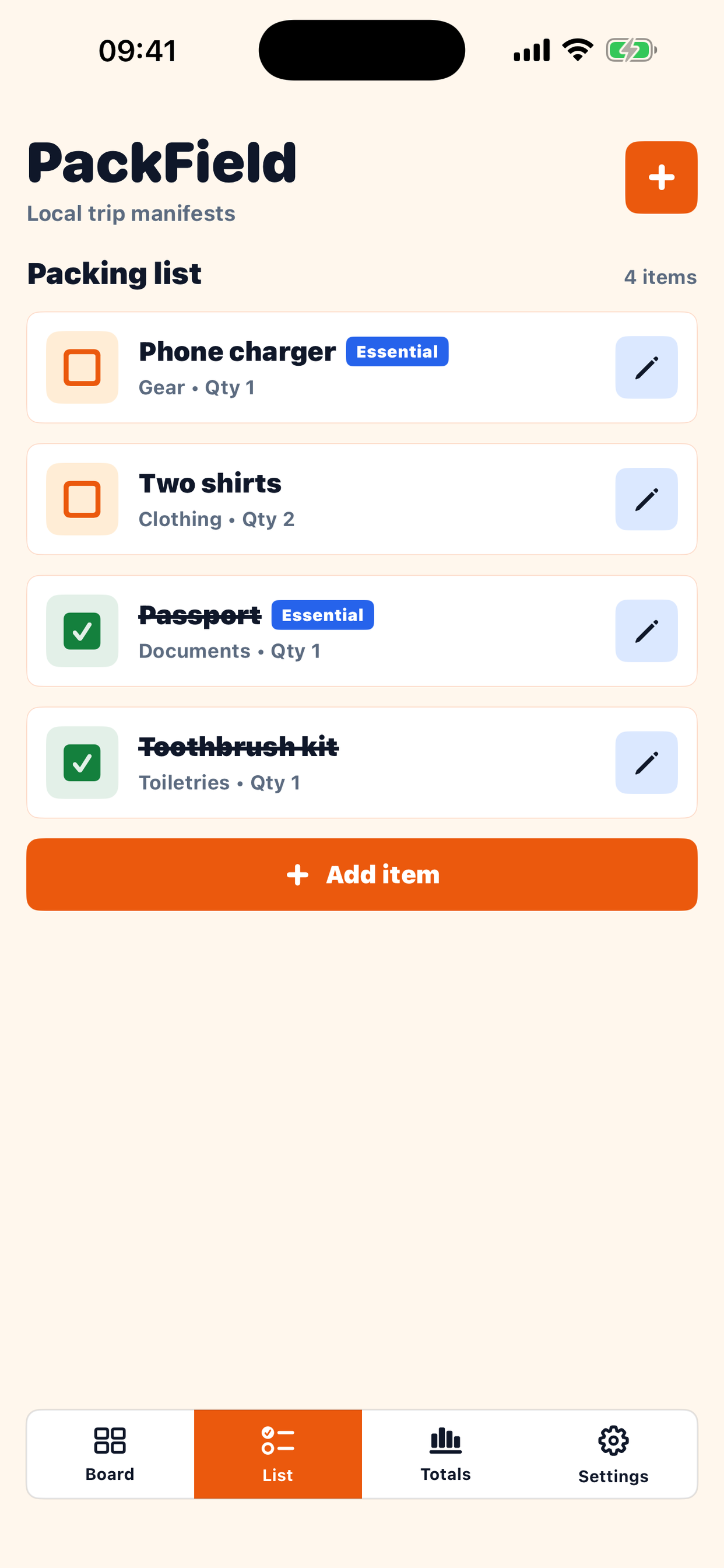
Baggage-tag item rows with packed toggles and edit controls.
Totals
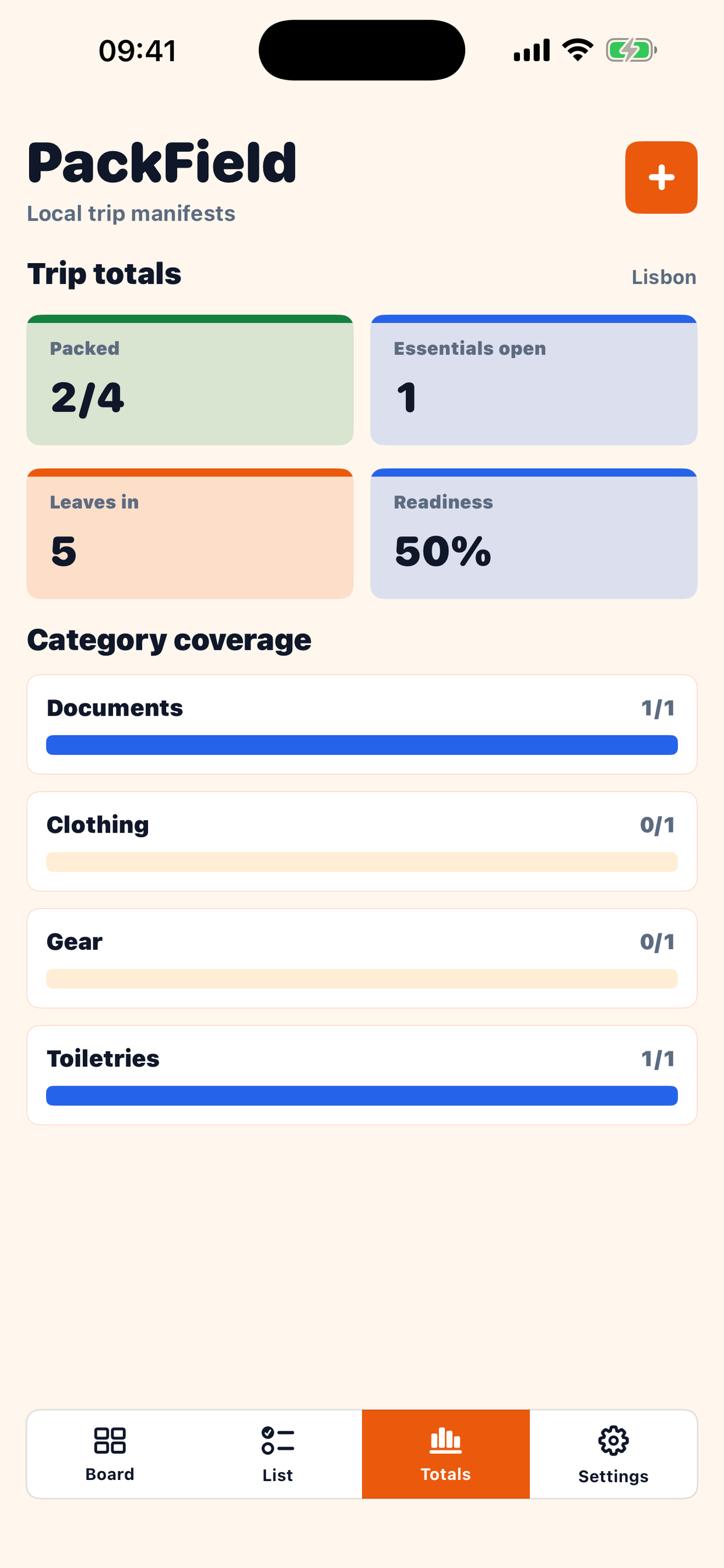
Category bars for documents, clothing, gear, toiletries, health, and extras.
Settings
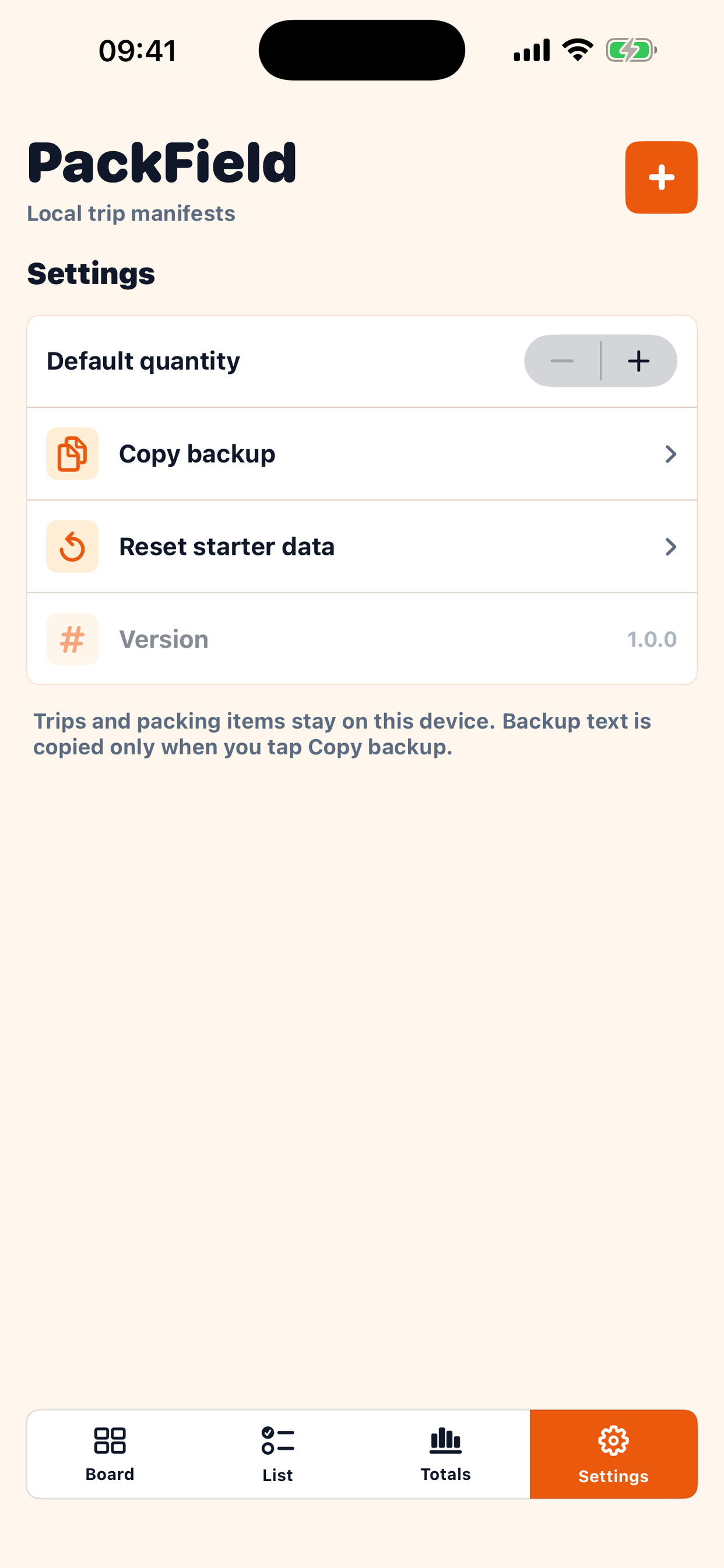
Default quantity, local backup, reset, Privacy Policy when available, and version.
Contact Support
Email 1501661557@qq.com with the app name, device model, iOS version, and a short description of the issue.
Frequently Asked Questions
Do I need an account?
No. PackField works without an account.
Where is my data stored?
Packing records are stored on your device.
Can I back up data?
Yes. Use Copy backup in Settings.
Troubleshooting
Check the selected trip before adding items. Use Totals to find missing categories. Copy a backup before resetting starter data.
Privacy Summary
PackField stores packing records locally, does not require an account, does not include ads, and is not used for cross-app advertising tracking.
Backup
Backup text is created only when you tap Copy backup. You control where copied text is stored or shared.
Version
PackField 1.0.0
Contact: 1501661557@qq.com